

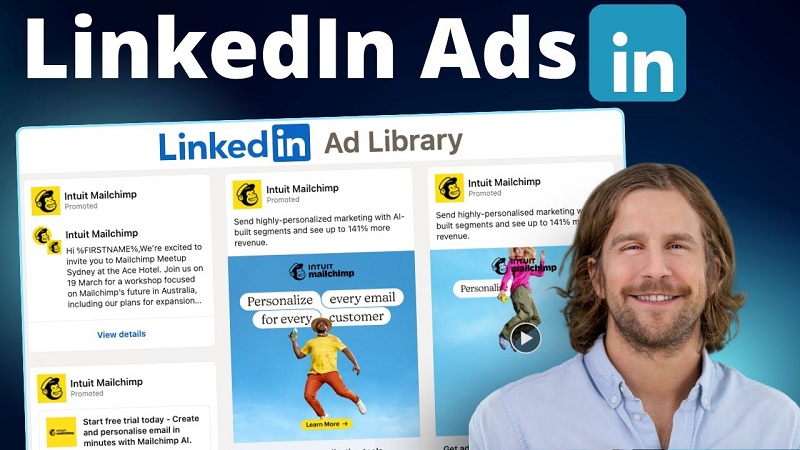
LinkedIn remains the premier platform for enterprise B2B advertising, but precision comes at a steep price. When cost-per-click rates regularly fluctuate between fifteen and thirty dollars, every single impression must count. There is zero margin for wasted spend on audiences that cannot or will not generate net-new revenue.
Yet, if you audit standard B2B ad accounts, a startling amount of budget quietly leaks away to two groups: direct competitors and current paying clients.
Serving prospecting ads to competitors is essentially funding their market research. It hands your rivals free visibility into your positioning, messaging tests, special offers, and product release roadmaps. Meanwhile, serving introductory top-of-funnel ads to existing clients wastes budget while annoying customers who have already purchased your solution.
Eliminating these leaks requires looking beyond standard demographic targeting. By architecting a rigorous exclusion strategy inside LinkedIn Campaign Manager, you can safeguard your budget and guarantee that every ad dollar focuses strictly on genuine, qualified prospects.
The Hidden Costs of Unfiltered Ad Delivery
Most growth marketers focus ninety percent of their effort on inclusion criteria. They meticulously select industry codes, seniority levels, job functions, and company headcounts. However, LinkedIn’s ad delivery algorithm works to fill impression volume efficiently within the boundaries you provide. If an employee at a competitor firm or an account manager at a current client fits your demographic parameters, the system will gladly deliver the impression.
The consequences go far beyond a few wasted clicks.
When competitors see your ads in their daily feeds, their sales and marketing teams gain an operational advantage. They can study your creative angles, prepare counter-messaging for competitive deals, and brief their sales reps on the exact pain points you are attacking in the market.
For existing clients, the friction is cultural. If a client who signed a six-figure contract last month sees a promotional campaign offering a twenty-percent discount to new users, it damages trust. Even benign prospecting ads can dilute the customer experience by cluttering their feed with introductory messaging rather than customer-success collateral.
Building Clean Exclusion Data Sets
The foundation of any robust exclusion protocol is the quality of your underlying audience data. LinkedIn Campaign Manager provides two primary avenues for excluding accounts: native demographic attributes and matched audience uploads. For complete coverage, you must combine both.
Company Exclusion Lists
The most direct way to eliminate competitors is by creating a dedicated account list. Compile a clean spreadsheet containing the exact legal company names, website domains, and LinkedIn Page URLs of every direct and indirect competitor in your space.
To account for corporate restructuring and regional branches, include parent companies, subsidiaries, and alternative spelling variants. Once compiled, format the document to match LinkedIn’s CSV account upload template and import it into the Matched Audiences dashboard under Company Lists.
Dynamic Client CRM Syncing
While competitor lists are relatively static, your client roster changes constantly. Managing customer exclusions through manual CSV uploads is an operational trap because static files decay the moment a new contract closes.
The best practice is to connect your customer relationship management platform directly to LinkedIn Campaign Manager. Build an automated list in your CRM that dynamically populates with any account flagged as an active customer, an open late-stage opportunity, or a churned account under a legal non-compete.
By setting this integration to sync automatically on a daily or weekly schedule, newly closed deals immediately drop into your exclusion pool without requiring manual media manager intervention.
Internal Employee Exclusions
A third group that frequently drains impressions is your own company’s workforce. Well-meaning coworkers often click on brand ads out of curiosity or pride, costing your budget actual money.
Ensure your company exclusion list includes your own organization, its regional entities, and any corporate acquisitions. Alternatively, use LinkedIn’s native Company Name filter to exclude your own organization across every active campaign.
Implementing Exclusions Inside Campaign Manager
Once your matched lists are processed and verified, you must apply them systematically across your campaign architecture. LinkedIn’s targeting engine evaluates exclusions with absolute priority; if an individual matches both an inclusion rule and an exclusion rule, the exclusion rule wins every time.
To configure this in Campaign Manager:
Navigate to the target audience section of your campaign build. Scroll past the primary inclusion parameters to the section labeled Exclude.
Select Matched Audiences, open the Company or Account category, and select both your competitor account list and your active client list.
Next, review your demographic parameters. Under Company, apply a manual exclusion for your own brand’s LinkedIn company page to catch any internal employees who might not have been captured in matched account lists.
Be deliberate when applying title-based exclusions. While it might be tempting to exclude specific job functions, such as human resources or legal counsel, manual job exclusions can trigger what practitioners call the super-title trap. Because LinkedIn groups related job titles under broader standardized taxonomies, excluding a seemingly irrelevant title can inadvertently disqualify adjacent, high-value decision-makers. Stick to account-level and company-level exclusions whenever possible to preserve persona accuracy.
Monitoring and Maintaining Exclusion Integrity
Exclusion management is not a one-and-done setup task. It requires recurring operational maintenance to ensure that audience lists remain accurate and performant.
Audit your campaign demographics bi-weekly. Navigate to the Demographics tab in Campaign Manager and switch the display view to Company. Review the top fifty companies absorbing your ad impressions.
If you spot a competing vendor, an agency partner, or an existing customer appearing on the list, examine how they slipped through your filters. Frequently, companies rebrand, launch secondary domain names, or register new corporate entities that were missing from your initial CSV files.
Immediately add these newly identified entities to your master exclusion lists. As your lists grow, Campaign Manager updates the active audience segments across all associated campaigns, automatically cutting off ad delivery to those accounts.
Strategic Discipline Drives Acquisition Efficiency
In paid B2B advertising, who you choose not to reach is just as critical as who you target. High conversion rates and healthy pipeline velocity are built on disciplined filtering.
By taking the time to build comprehensive competitor lists, automate CRM client exclusions, and ruthlessly audit account delivery, you insulate your marketing campaigns against wasted spend. Your ad budget is redirected toward high-intent accounts that actually represent net-new business, turning LinkedIn from an expensive brand billboard into a lean, highly efficient acquisition channel.